
Photo, voice & text meal logging
Photograph a meal. Review what the AI sees.
BiteRight helps identify foods and estimate nutrients from a meal photo. Check the result, add what you know and keep a food record that makes sense to you.
For iPhone and Android. See your store for current pricing and included features.
See the scan and review workflow ↓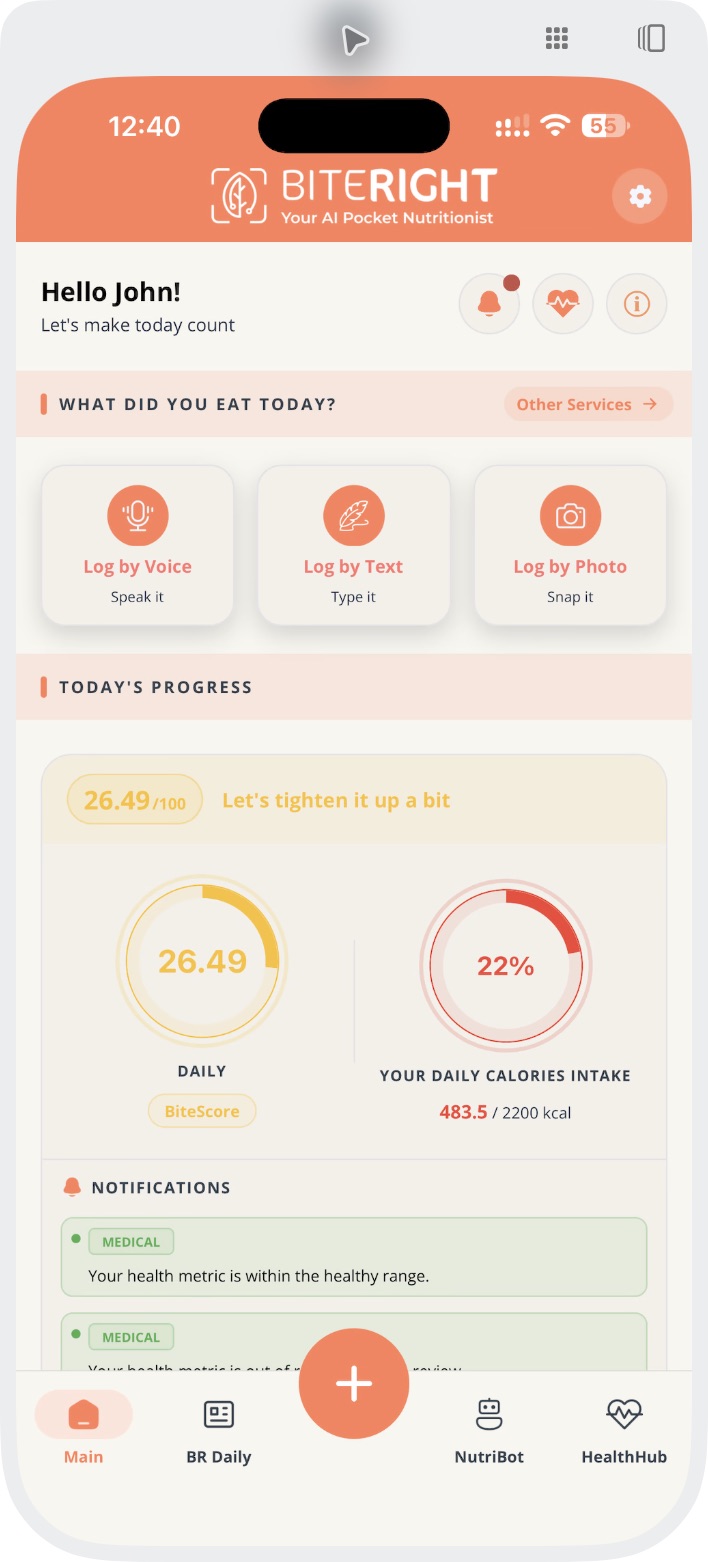
Choose an input. Review the estimate.
The useful part is the review. A photo is a starting point; it cannot reveal every ingredient or establish an exact portion.
1. Choose an input
Use Log by Photo for a meal picture, or describe the food with voice or text when that gives you more context.
2. Check the meal details
Review the identified foods, serving assumptions and nutrient estimates. Compare them with what you actually know about the meal.
3. Keep uncertainty in view
Check the information against what you know about the meal. If an ingredient or portion is unknown, do not treat the nutrient estimate as an exact measurement.
One meal, three app screens
From a photo to an updated estimate.
Choose a meal photo, enter a total serving and review the updated result. A total-serving edit does not guarantee that each ingredient portion stays the same.
1. Choose the meal photo
Open full-size photo input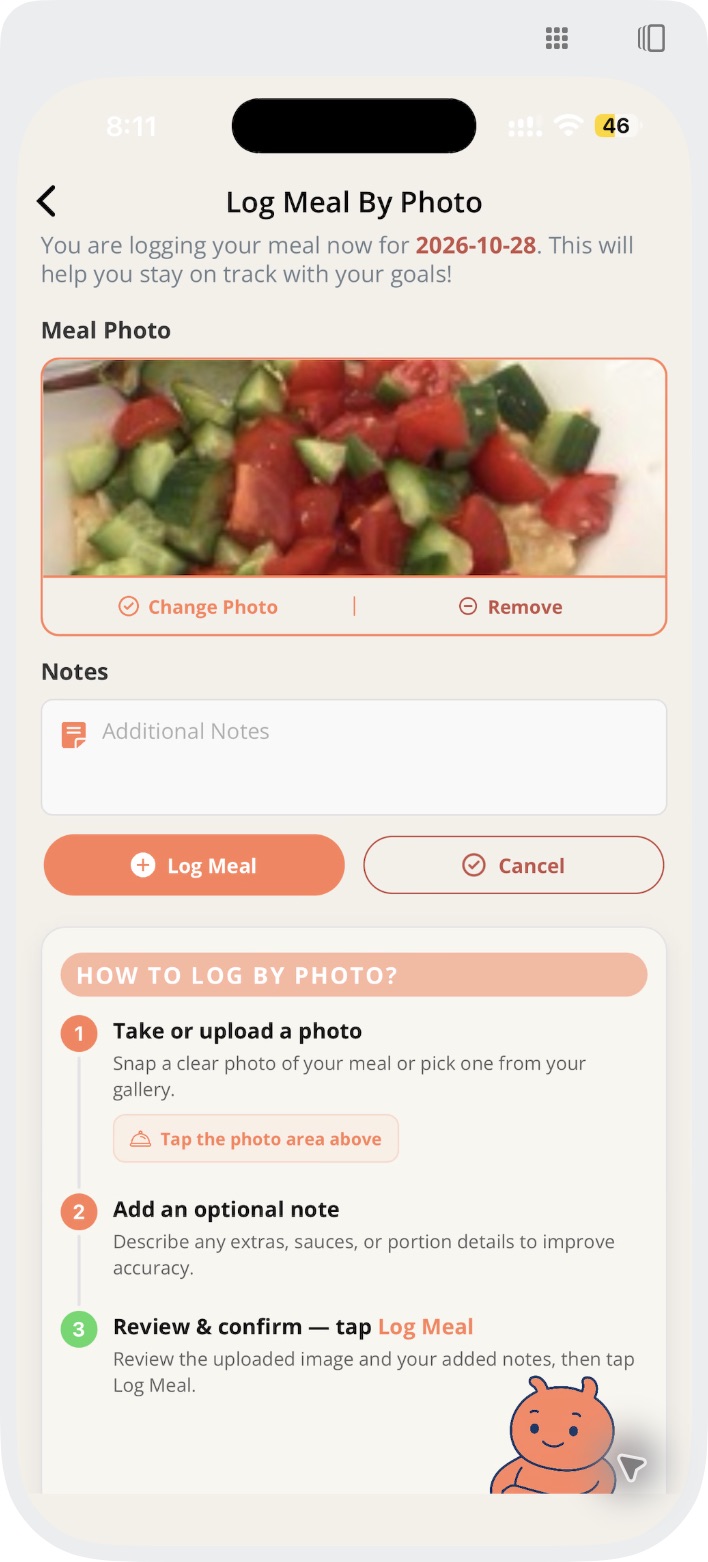
2. Set a total serving
Open full-size serving edit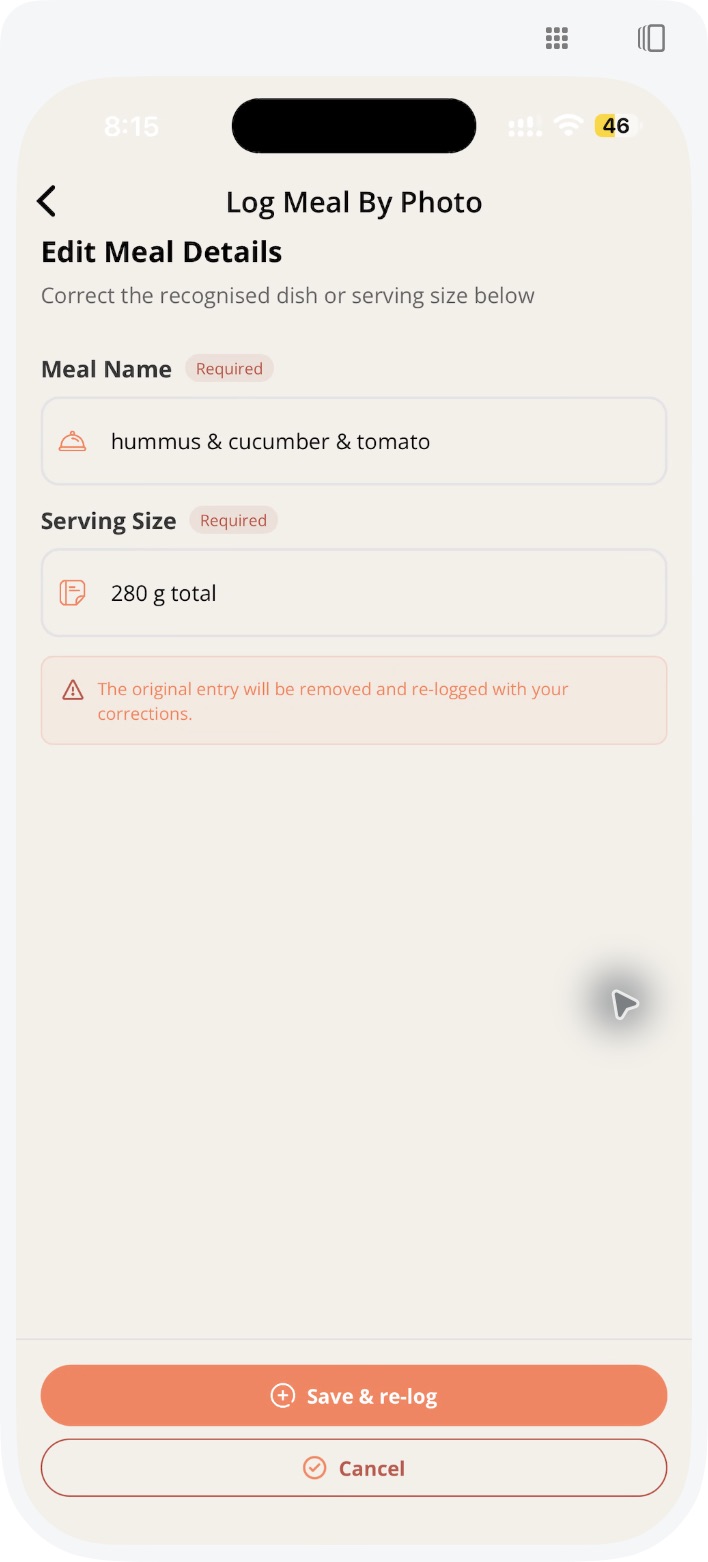
3. Review the updated estimate
Open full-size photo result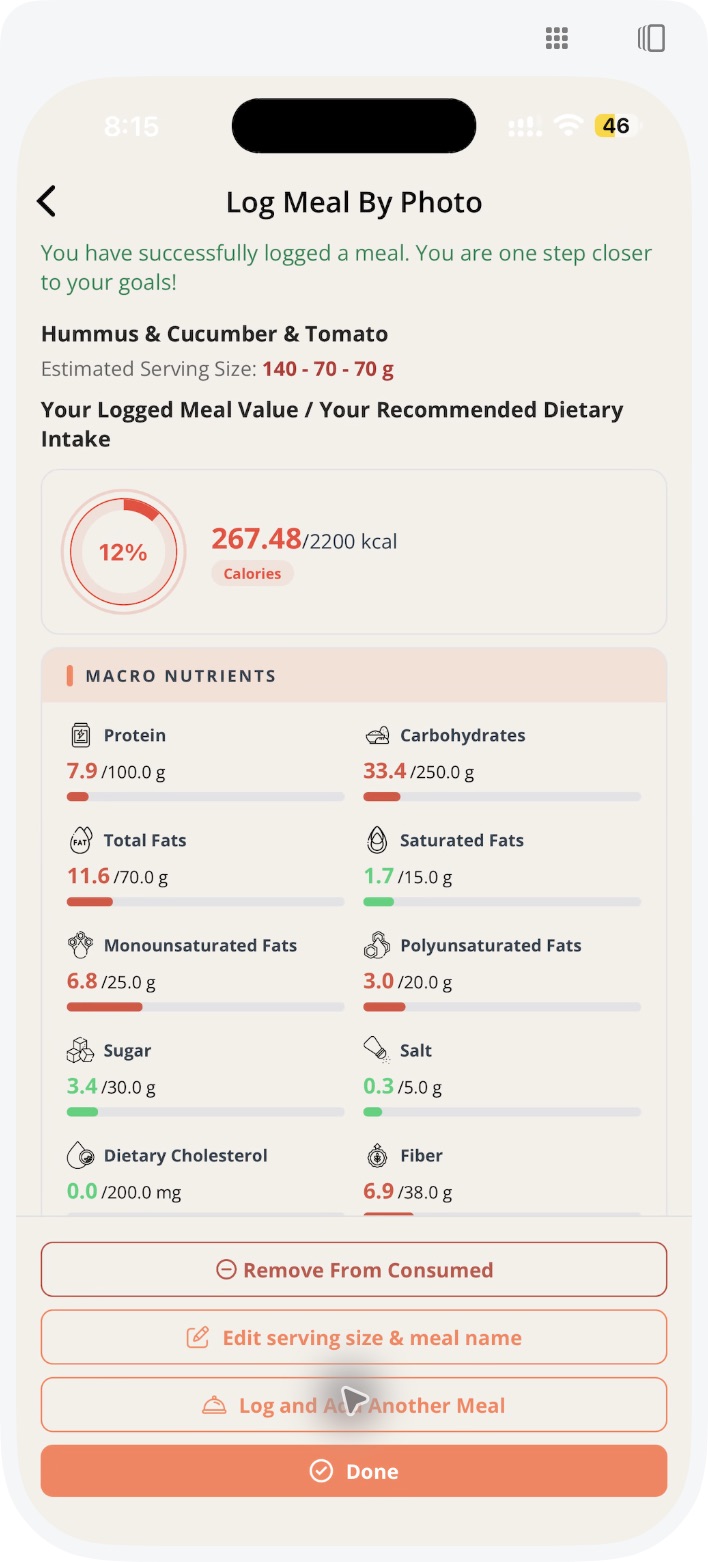
Before relying on a result
Treat the output as an estimate to inspect, not a measurement of everything on the plate.
Foods and ingredients
Does the list match what you ate? Sauces, cooking fats, fillings and other hidden ingredients may not be visible.
Serving size
Does the assumed amount fit your meal? A correctly named food can still have a different portion.
Your intended use
Do not use a food photo to establish allergen safety, diagnose a condition or decide a medication dose.
Choose your next step
Questions before you get started
Try meal logging in BiteRight
Choose your store to check current pricing, included features, subscriptions and device compatibility before downloading.