
BiteRight for individuals
Get an alert when you eat too much sugar or carbs, or too little protein.
Set daily limits for sugar, carbs, protein or any of 38 nutrients, yourself or with your dietitian. Log meals by voice, text or photo, and BiteRight tells you when your day crosses one, so you can fix it at your next meal, not your next appointment.
5.0 out of 5 app store rating· checked
For iPhone and Android, in English, French, Arabic and Spanish. Current pricing and subscription details are shown in your app store.
See how meal tracking worksYour day, at a glance
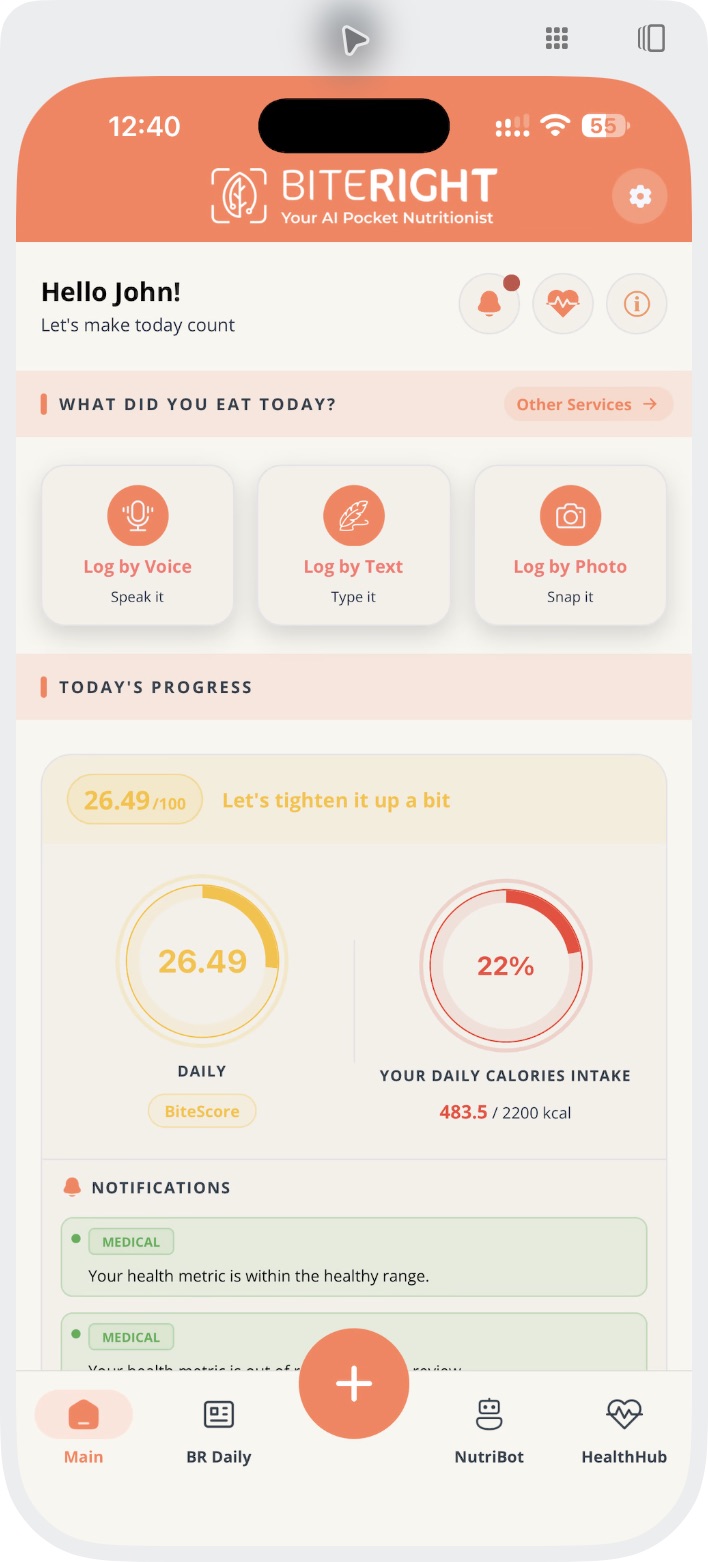
Medical notifications
Most trackers count calories. BiteRight watches the numbers your health depends on.
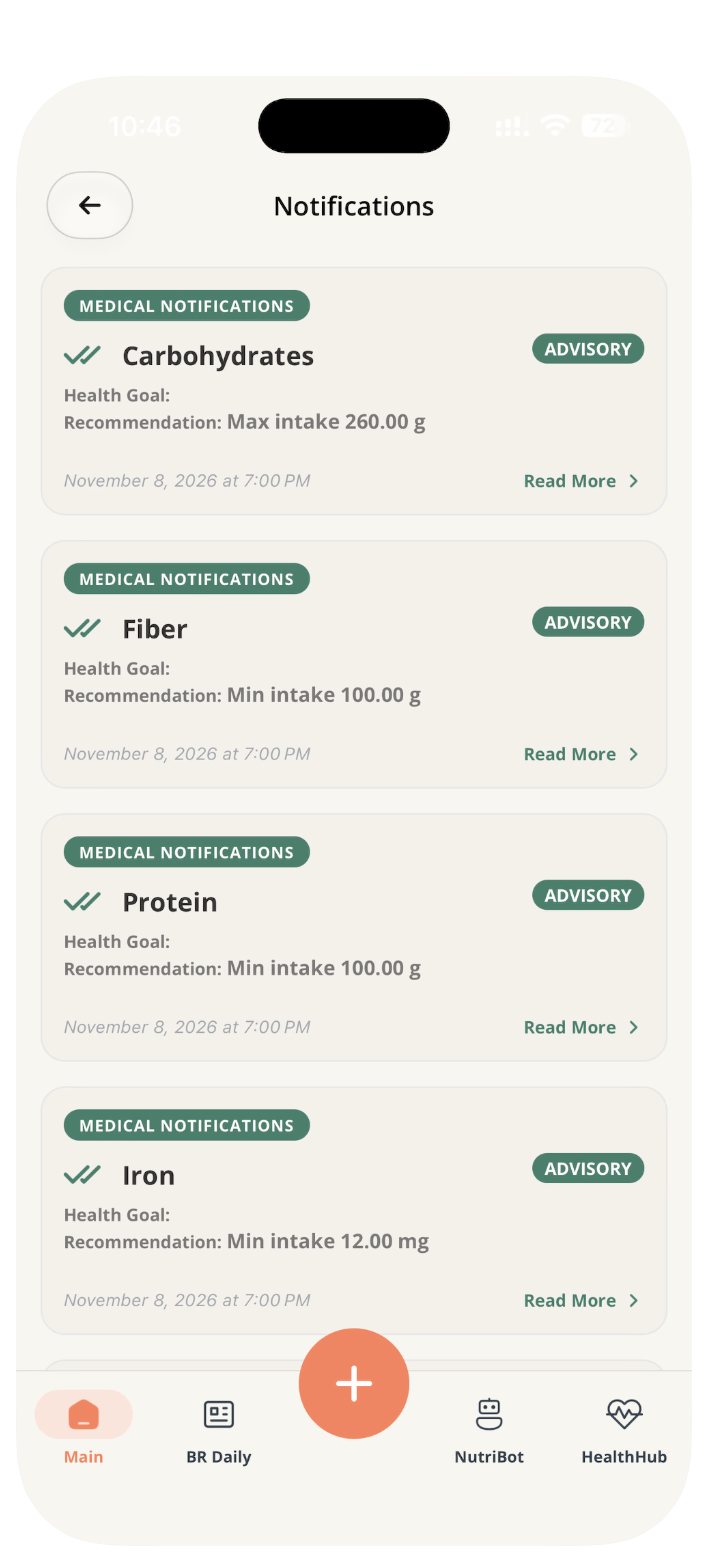
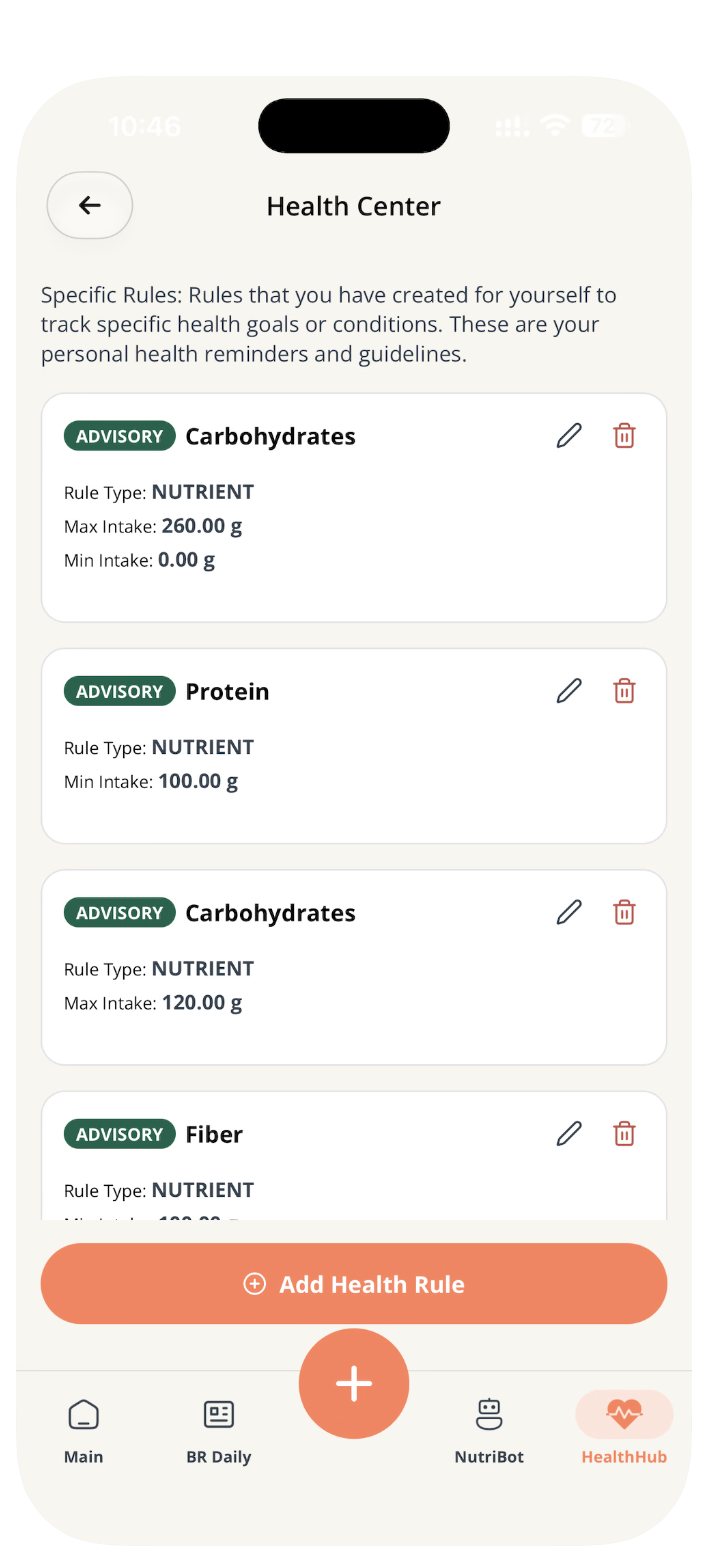
Pick the nutrients that matter to you and set a minimum, a maximum or both. BiteRight adds up every meal you log and notifies you when the day breaks a rule, so you can adjust that same day instead of finding out at your next appointment.
Each medical notification names the nutrient, your target and a recommendation. Set rules yourself in the Health Center, or let your dietitian set them for you.
Living with diabetes
Carbs and sugar: daily maximum
Keep carbs and sugar under the daily limit agreed with your clinician, and know when a meal takes you over so you can adjust the rest of the day.
Diabetes and carb trackingLiving with IBS or gut problems
Fibre minimum, fat or sugar maximum
Keep a detailed meal record to spot patterns with your dietitian, and set fibre, fat or sugar rules if they are part of your plan.
IBS and food trackingTaking a GLP-1 medicine
Protein: daily minimum
When appetite drops, protein is easy to miss. Set a protein minimum and BiteRight flags the days you fall short.
Food tracking on a GLP-1 medicineTraining or recovering
Protein: daily minimum, fat: maximum
Hit your protein target on training and recovery days, and see what each meal adds without weighing every ingredient.
Work out your macrosCutting back on sugar
Sugar: daily maximum
Set a sugar ceiling, for example while cutting sweet drinks, and get a nudge when the day goes past it.
Set a sugar limitWorking with a dietitian
Set by your dietitian
Your dietitian sets your limits in their portal and sees the days that need attention, so appointments start from what you actually ate.
The dietitian portal
Values are estimates, so review your entries to keep totals accurate. Agree any medical limit with your clinician or dietitian. BiteRight does not diagnose or treat conditions, and alerts are not an allergy safety check.
New every day, made for you.
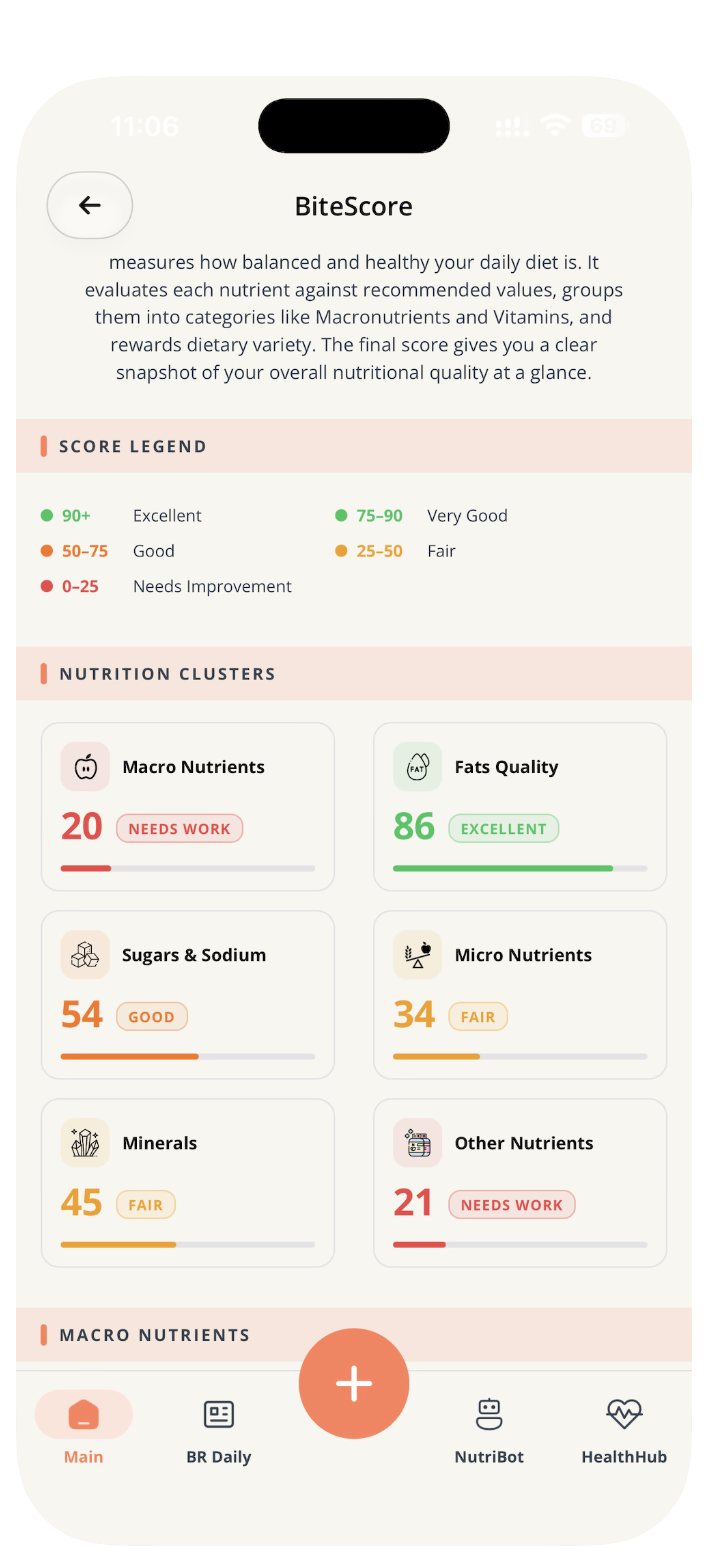
BiteScore: see what your day is missing
A daily score out of 100 for how balanced your meals are. It checks each nutrient against recommended values, scores six groups from fats quality to minerals, and rewards variety, so you can see which part of your diet needs work.
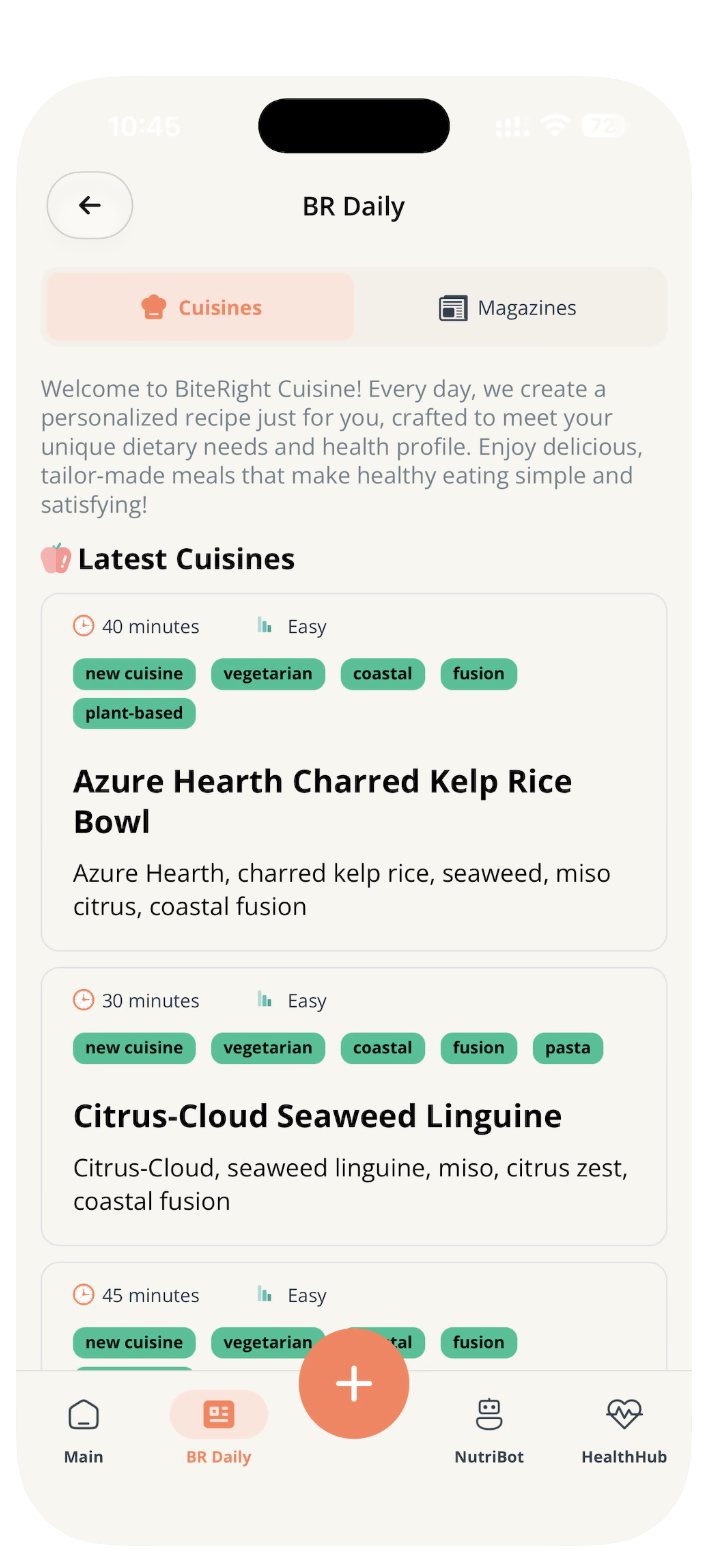
BR Daily Cuisine: a recipe for you, every day
A new personalised recipe each day, built around your dietary needs and health profile, with ingredients, steps and cooking time.
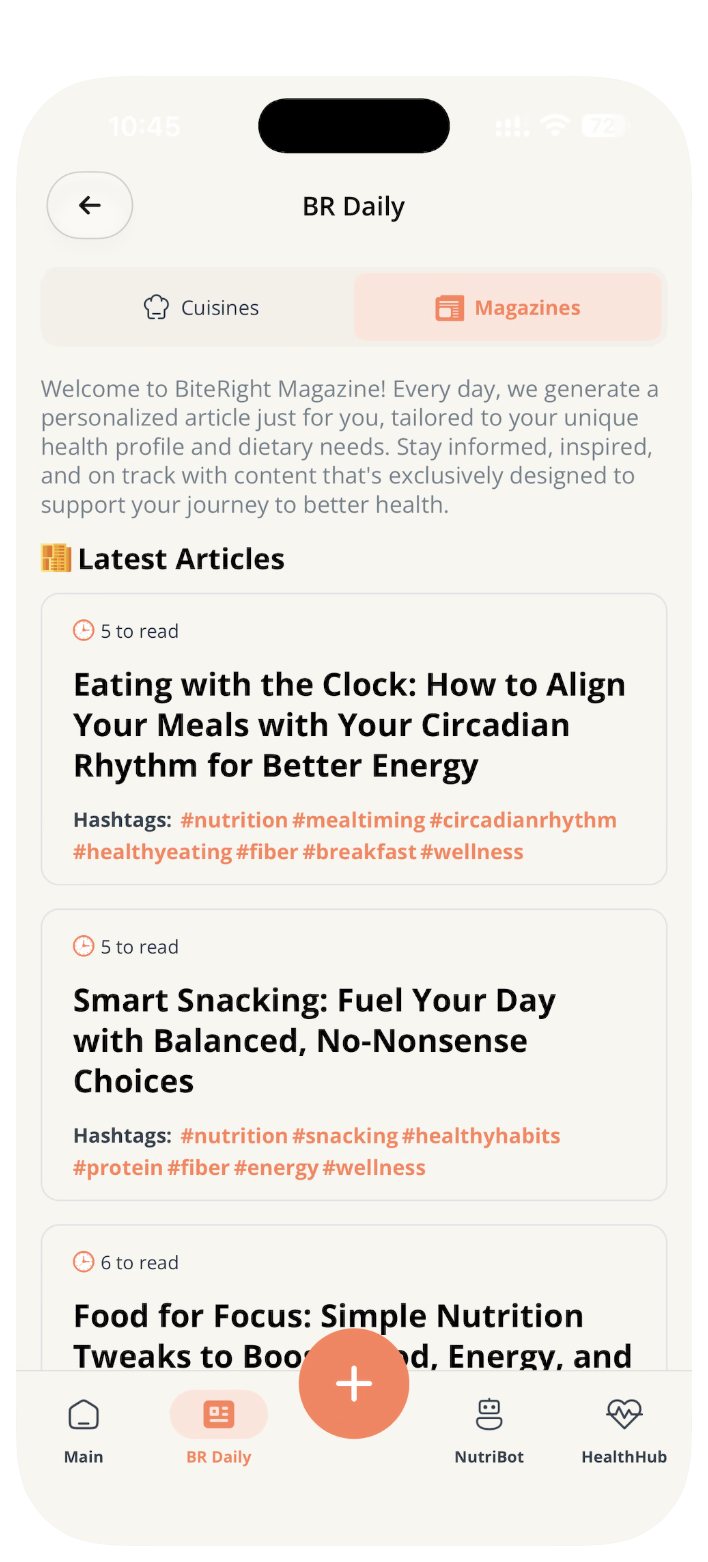
BR Daily Magazine: a read that fits your goals
A personalised article each day on the nutrition topics that matter to your health profile, so you learn a little every day.
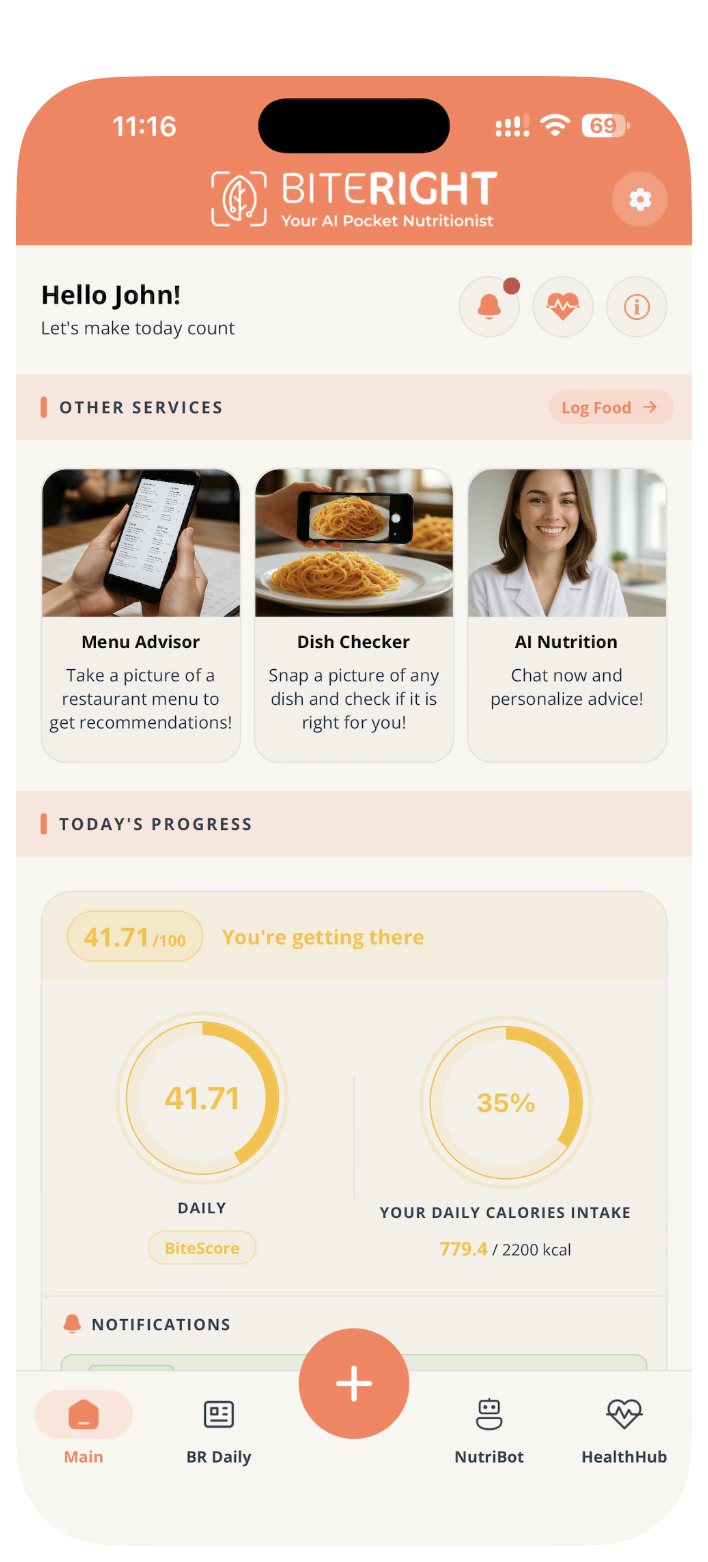
Advice when you need it
Menu Advisor recommends dishes from a photo of a restaurant menu. Dish Checker tells you whether a dish suits you. NutriBot, the AI nutritionist, answers your questions in a chat.
Everything else in the app.
Logging that fits any moment
Speak it, type it or snap it. BiteRight recognises the food and estimates the portion and nutrients.
Keep tracking when you eat out
Scan a restaurant menu, pick your dish, and it counts towards your daily totals and rules.
Share it with your dietitian
Connect to your dietitian, who can set your rules and review your meals between visits.
Your food, your language
International cuisines, and an app in English, French, Arabic and Spanish.
Get the app
BiteRight is on iPhone and Android, with in-app purchases. Your store listing shows the current price, what each plan includes, the billing period and how to cancel, so check it before you subscribe.
Prices and plans can differ by platform and region, so use the listing for your device.
Start with what you ate
Log a meal in the way
that suits the moment.
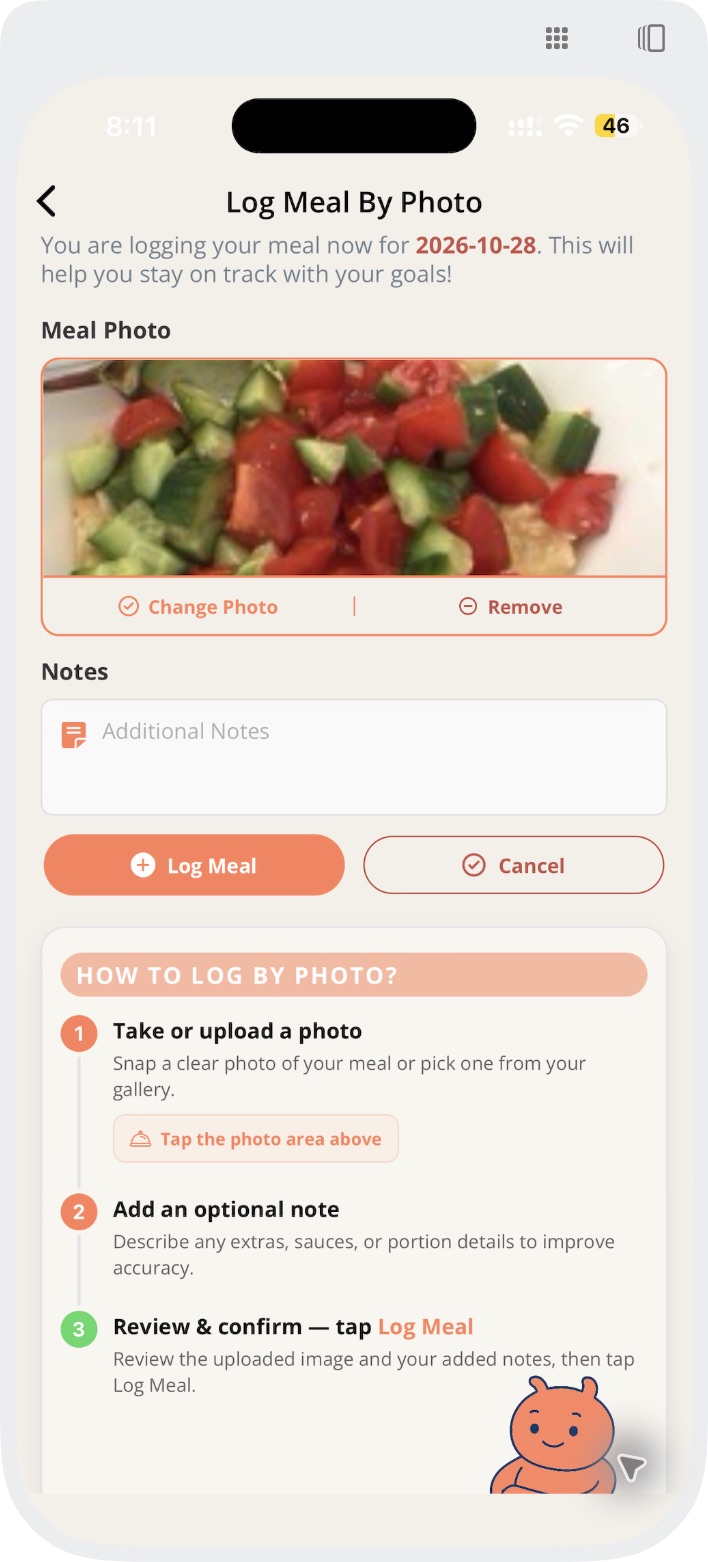
Snap it at the table, say it on the go, or type it later. Every entry lands in the same meal record and counts towards your rules.
See the full walkthrough Set daily sugar, carb and protein limitsPhoto
Capture your meal when you have a clear view of the food.
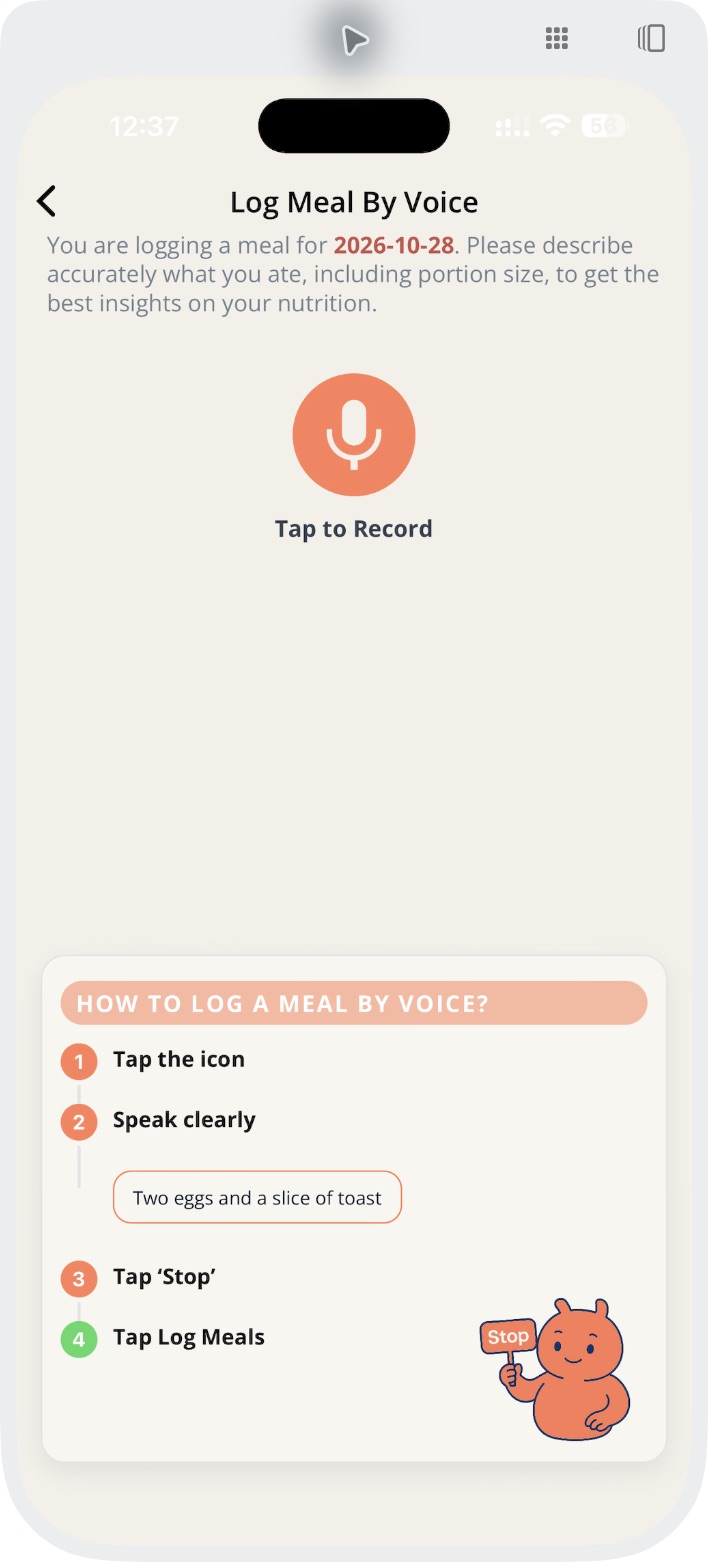
Voice
Describe what you ate when speaking is more convenient.
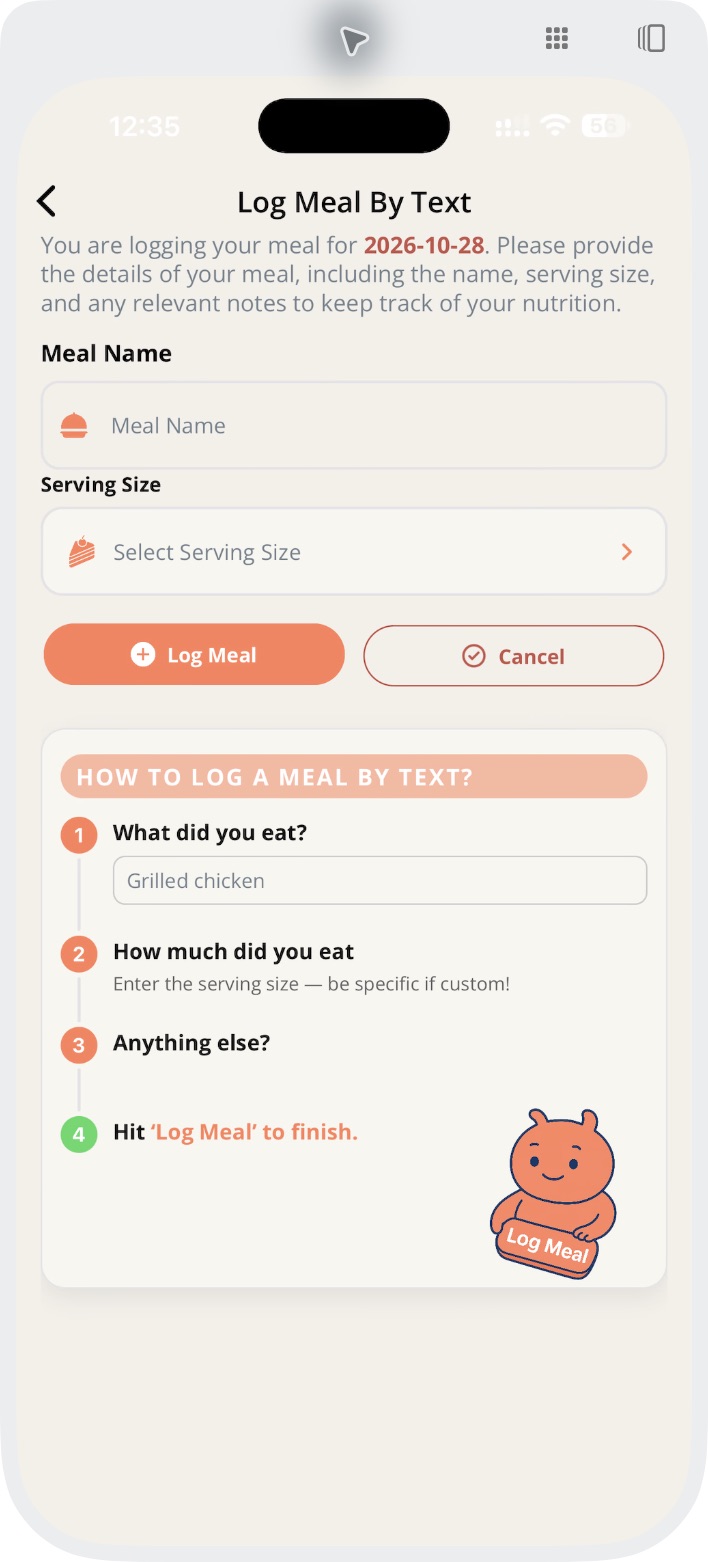
Text
Type your meal description when you want to add detail.
Then learn from it
See what you ate.
Fix what is off.
Log your meal.
Describe the foods and portions as clearly as you can.
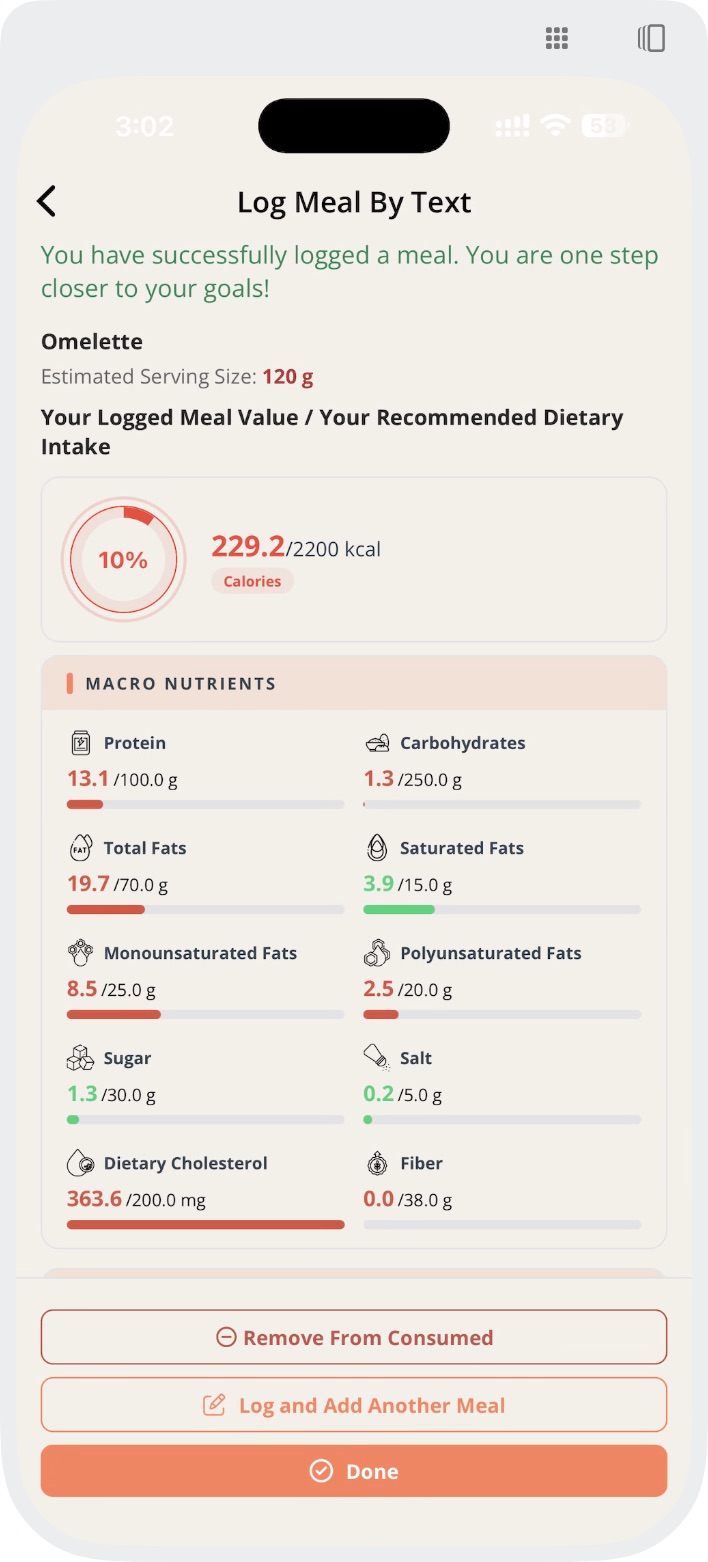
Review the analysis.
Check the foods and nutrient estimates, and correct a portion if needed. Hidden oils, sauces and portion sizes can change the result.
Look back at your choices.
Your meal history and medical notifications show which days broke a rule, ready to discuss with your dietitian.
One meal, three app screens
From a photo to an updated estimate.
Choose a meal photo, enter a total serving and review the updated result. A total-serving edit does not guarantee that each ingredient portion stays the same.
1. Choose the meal photo
Open full-size photo input2. Set a total serving
Open full-size serving edit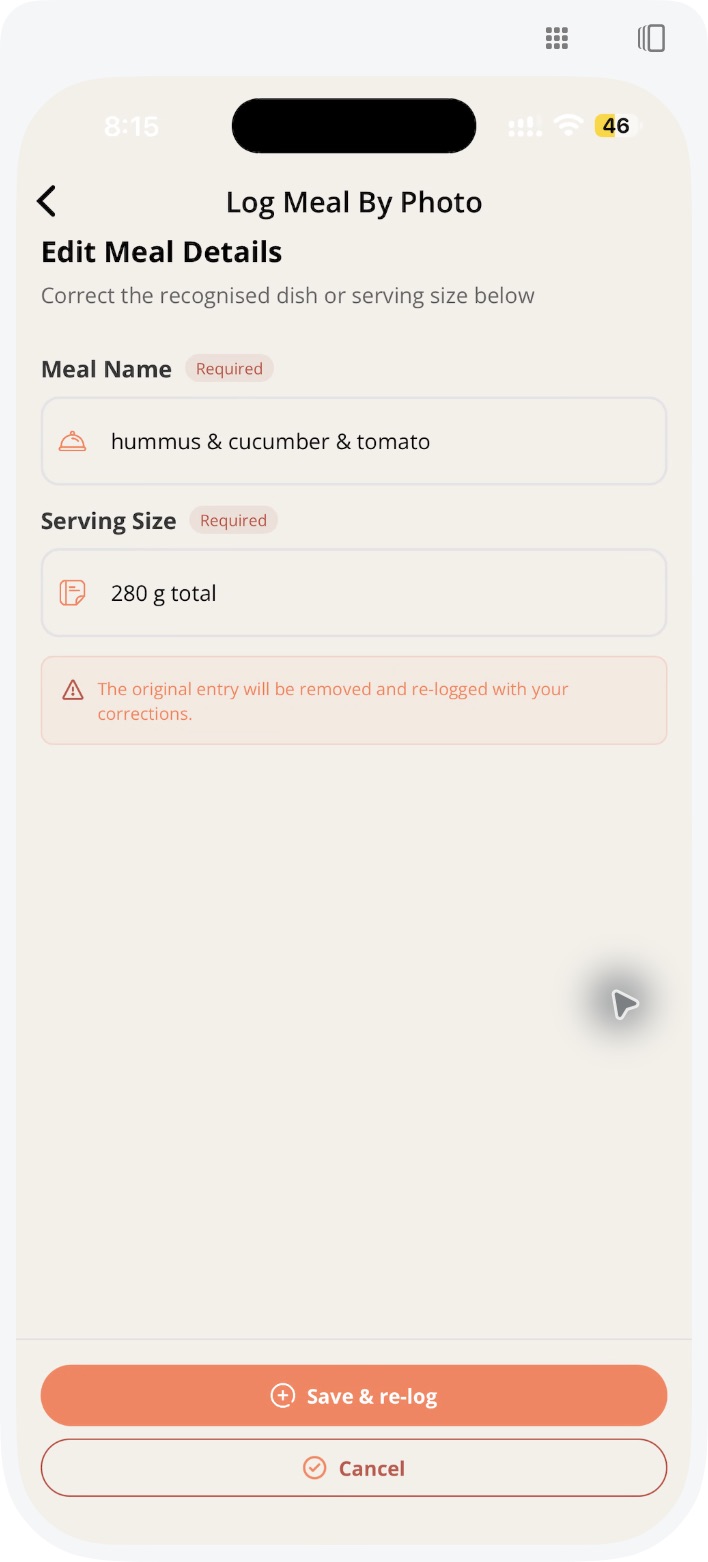
3. Review the updated estimate
Open full-size photo result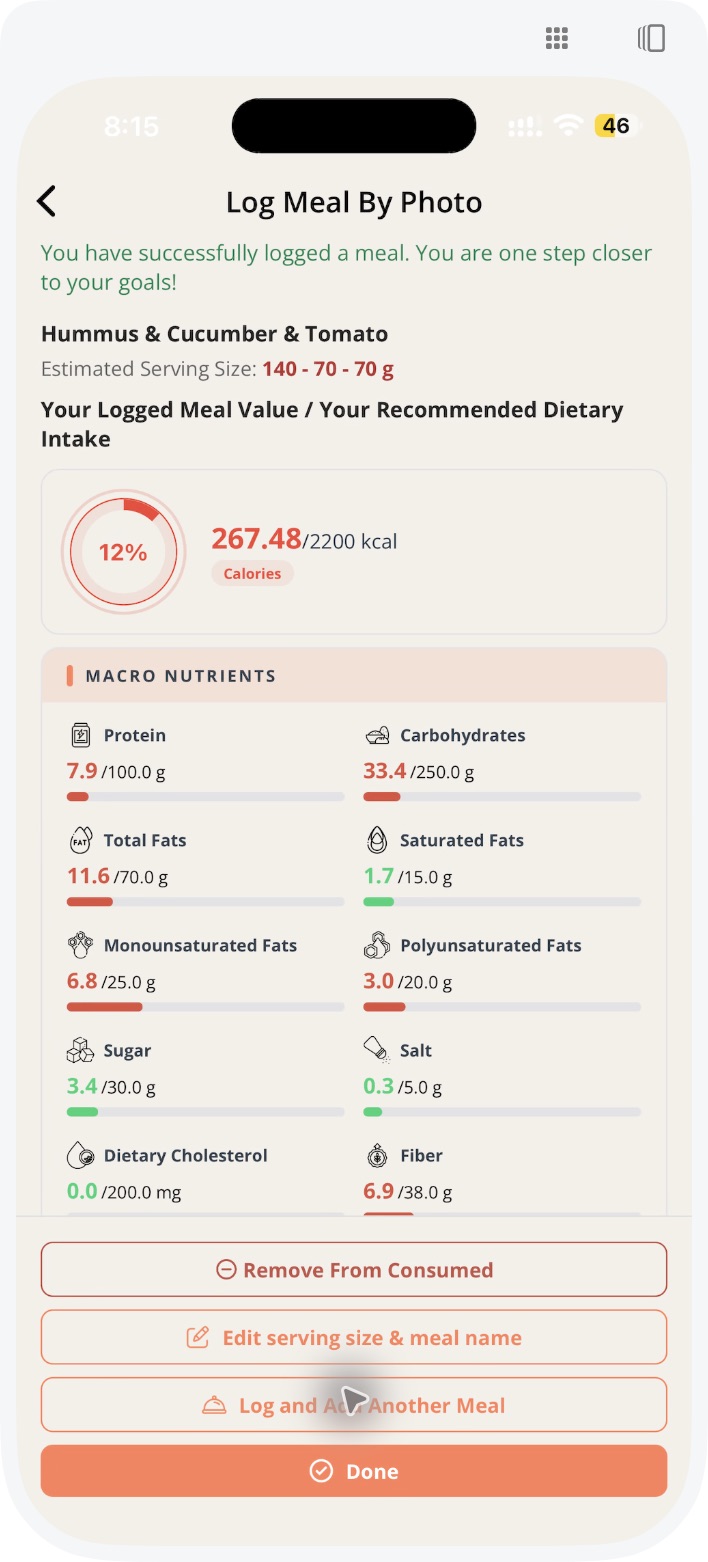
Compare BiteRight with other trackers.
See photo logging in action, or check how BiteRight compares with the app you use today.
AI food scanner
See a meal photo, portion edit and updated nutrient estimate.
Photo, voice or text food diary
Choose an input method that fits the meal and the moment.
Compare calorie counter apps
Check documented logging options and questions to ask before choosing.
Considering a Cal AI alternative?
Explore BiteRight’s workflow and check what matters for your next app.
Questions before downloading.
Need help? Contact support or read our Privacy Policy.
Make it part of your day
Start with your next meal.
Find BiteRight in your app store. Review current pricing, features and subscription terms before choosing a plan.
5.0 out of 5 app store rating· checked
Looking for tools for your business? Explore BiteRight for business