
How BiteRight works
Log it. See the macros.
Know when you cross a limit.
Snap a photo, record a voice note or type what you ate. BiteRight estimates the calories and macros, and notifies you when your day goes past a limit you set.
Explore the app features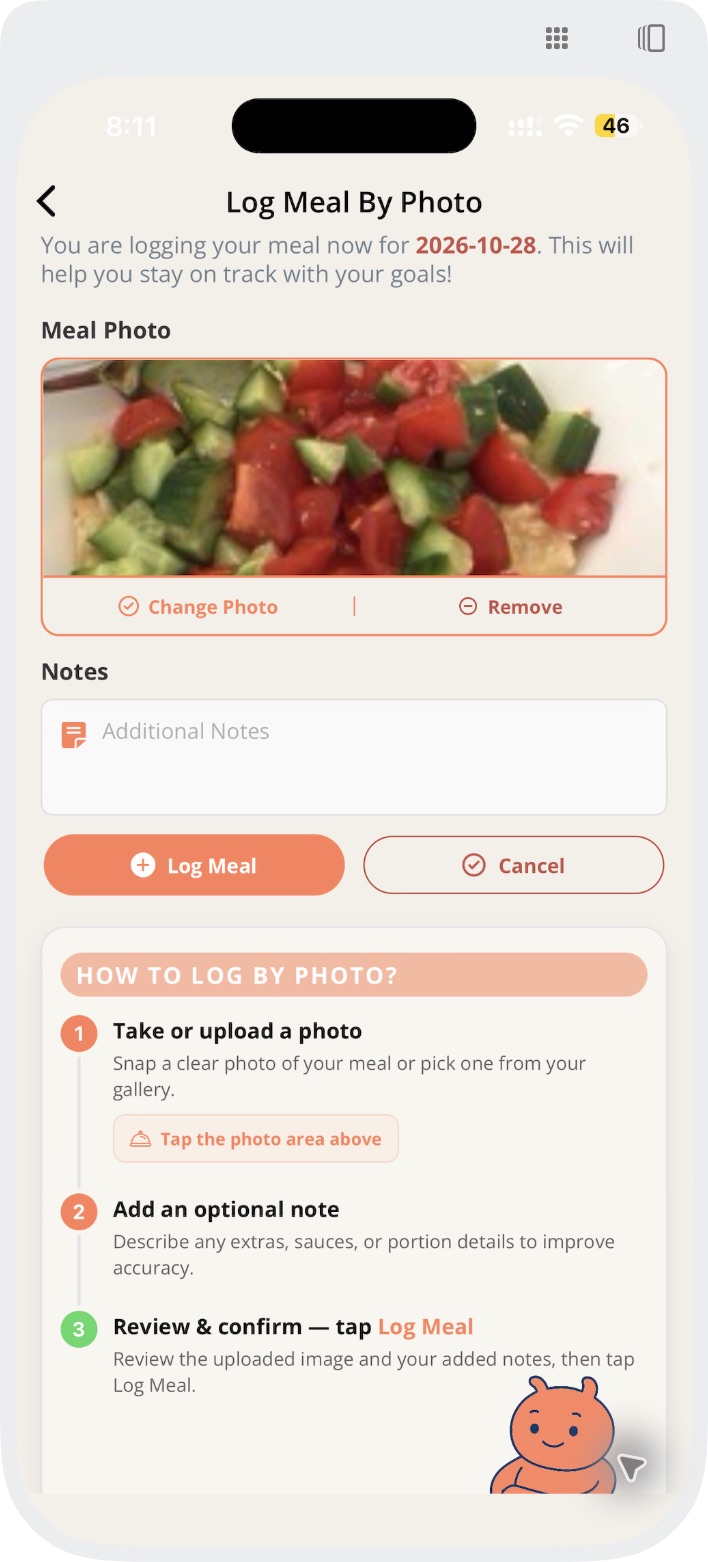
1. Log it with a photo
The workflow
Three steps.
Log, see, stay on track.
You log the meal. BiteRight estimates what is in it and keeps an eye on the daily limits you set.
Log your meal
Photo, voice note or text
Take a photo of your plate, record a short voice note or type what you ate. Mentioning portions and ingredients helps the estimate.
See your macros
Calories, protein, carbs, fat and more
BiteRight estimates calories, protein, carbohydrates, fats, sugar, salt and fibre for the meal and shows them against your daily intake. If a food or serving looks wrong, edit it; the values are estimates, not measurements.
Get alerted at your limits
Daily maximums and minimums
Set a daily maximum for sugar, fat or carbohydrates, or a daily minimum for protein. When a limit is breached, BiteRight sends you a notification.
Limits and alerts
Your limits, watched for you.
Each meal you log counts towards the day. When the total goes past a limit, you get a notification. Agree medical limits with your clinician or dietitian; BiteRight does not set treatment targets or diagnose conditions.
More about limits and alerts →Daily maximums
Cap sugar, fat or carbohydrates for the day, for example when you are managing diabetes.
Daily minimums
Set a floor such as a protein target if you train or play sport.
Who sets them
You can set limits in the app. A dietitian using the BiteRight portal, or a service that offers BiteRight inside its own app, can set them too.
Questions about the process.
How long does logging and analysis take?
Timing depends on the meal, input method and connection. Review results rather than assuming a fast response is complete or exact.
Are nutrient values exact?
No. Recognition and nutrition values are estimates. Portions, preparation methods and hidden ingredients can affect the result, so check the foods and serving size and edit them if needed.
Which limits can I set, and who can set them?
You can set a daily maximum for sugar, fat or carbohydrates and a daily minimum for protein, and BiteRight notifies you when one is breached. A dietitian using the BiteRight portal, or a service that offers BiteRight inside its own app, can set limits too. Agree medical limits with your clinician; BiteRight does not set treatment targets.
Can I use the result to change treatment?
No. BiteRight does not diagnose or treat conditions or determine medication doses. Discuss dietary and treatment changes with your clinician or dietitian.
Which languages are available?
The app is available in English, French, Arabic and Spanish, and it recognises dishes from cuisines around the world. Check the app-store listing for device requirements. Business teams should confirm language requirements for their proposed integration.
Ready for your next meal?
Find BiteRight for iPhone and Android. Review current pricing, included features and subscription terms in your app store before choosing a plan.