
For dietitians
See what your patients eat between visits.
Your patients log meals in the BiteRight app. You review them in the dietitian portal, with alerts for the entries that need your attention.
Last updated:
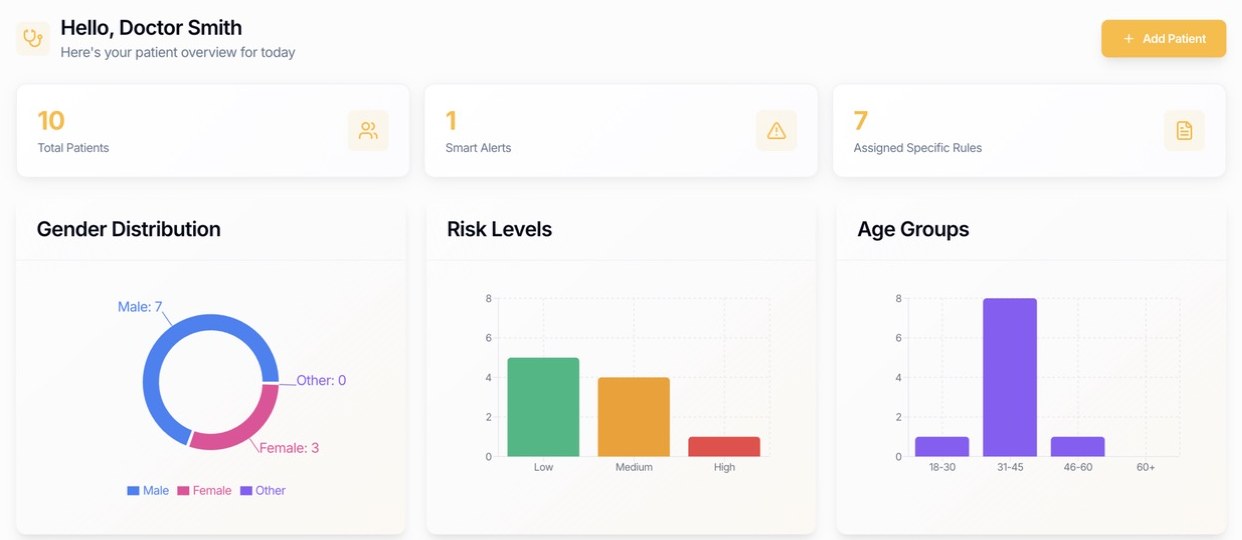
What the portal does.
- See what patients log
- Open a patient to review the meals they logged in the BiteRight app, with the foods, servings and estimated nutrients for each entry.
- Patient overview
- The dashboard summarises your patient list: how many patients you follow, their risk levels, gender and age groups.
- Rules for each patient
- Assign specific rules to a patient, so the portal can highlight logged meals that need your attention.
- Smart alerts
- Alerts collect the logged items that match a patient's rules, so you can review those first.
- Audit logs
- The portal records who accessed patient records, so a practice can review access.
- Add patients
- Invite patients to connect their BiteRight app to your practice.
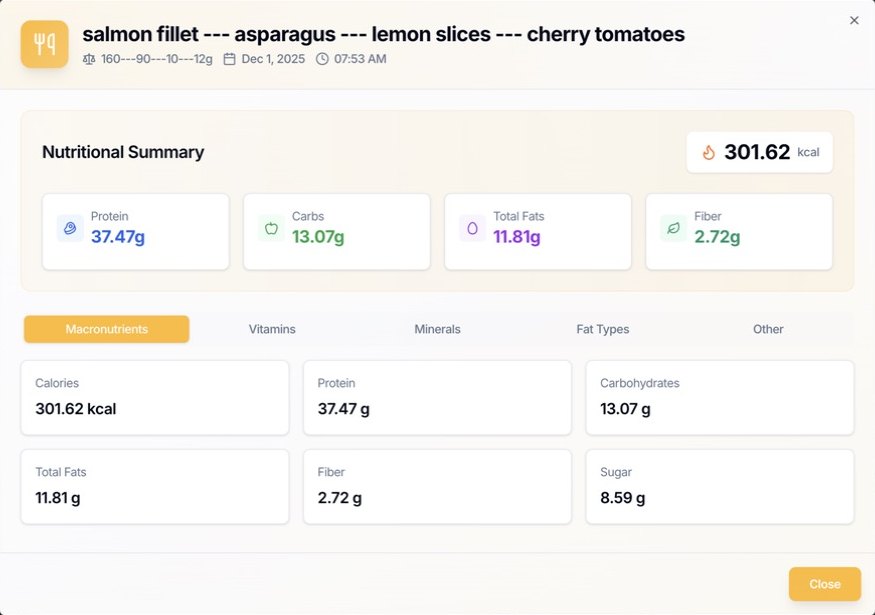
Every logged meal, broken down.
Open any entry in a patient's record to see the foods and servings they logged, when they ate, and estimated calories, protein, carbohydrate, fat, fibre and sugar. Tabs show vitamins, minerals and fat types.
How it works.
Step 1
Your patient logs meals
With a photo, a voice note or text in the BiteRight app, in English, French, Arabic or Spanish.
Step 2
Entries appear in the portal
Logged meals show up in the patient's record in the dietitian portal.
Step 3
You review between visits
Check the meal record and alerts before a consultation, instead of relying on recall alone.
Nutrient values are estimates. See how accurate they are and what affects them.
Questions from dietitians.
What can a dietitian see in the portal?
The meals a connected patient logs in the BiteRight app, with the foods, servings and estimated nutrients, plus a patient overview, smart alerts and per-patient rules.
Are the nutrient values exact?
No. They are estimates based on the meal description and national food-composition databases. Use them to support a conversation with your patient, not to make clinical decisions on their own.
How is patient data protected?
BiteRight is hosted on Oracle Cloud Infrastructure, with data encrypted in transit and at rest. The portal keeps audit logs, regional hosting is available and a data processing agreement (DPA) is available for business customers.
How do I get access?
Contact the team to request a demo of the dietitian portal for your practice.