
Daily maximums and minimums
Daily nutrition limits, with an alert when one is crossed.
Set a daily maximum for sugar, carbohydrates or fat, a daily minimum for protein, or a rule for any of 38 nutrients, from fibre to iron. Log meals by photo, voice or text, and BiteRight notifies you when the day's estimated total breaches a limit.
For iPhone and Android. Values are estimates. Agree medical limits with your clinician or dietitian.
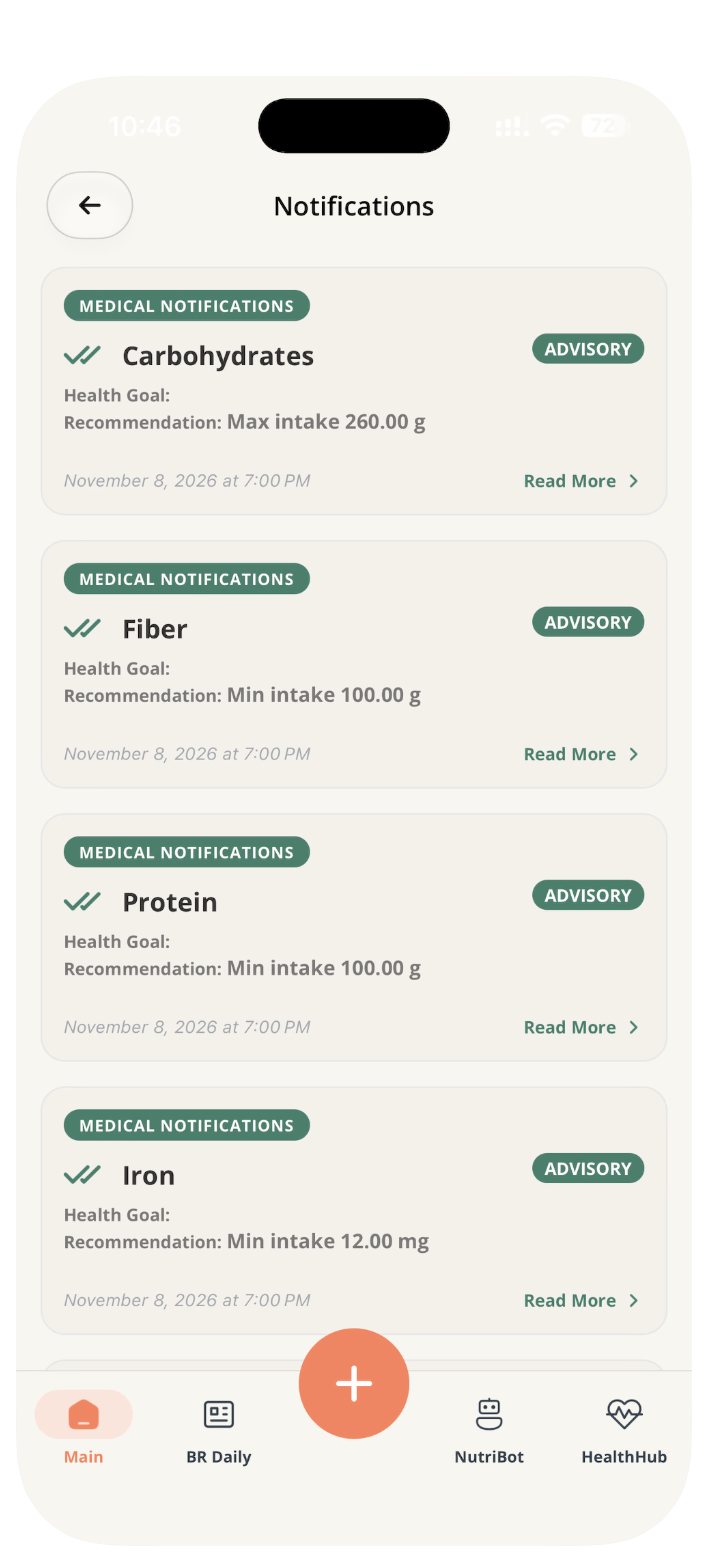
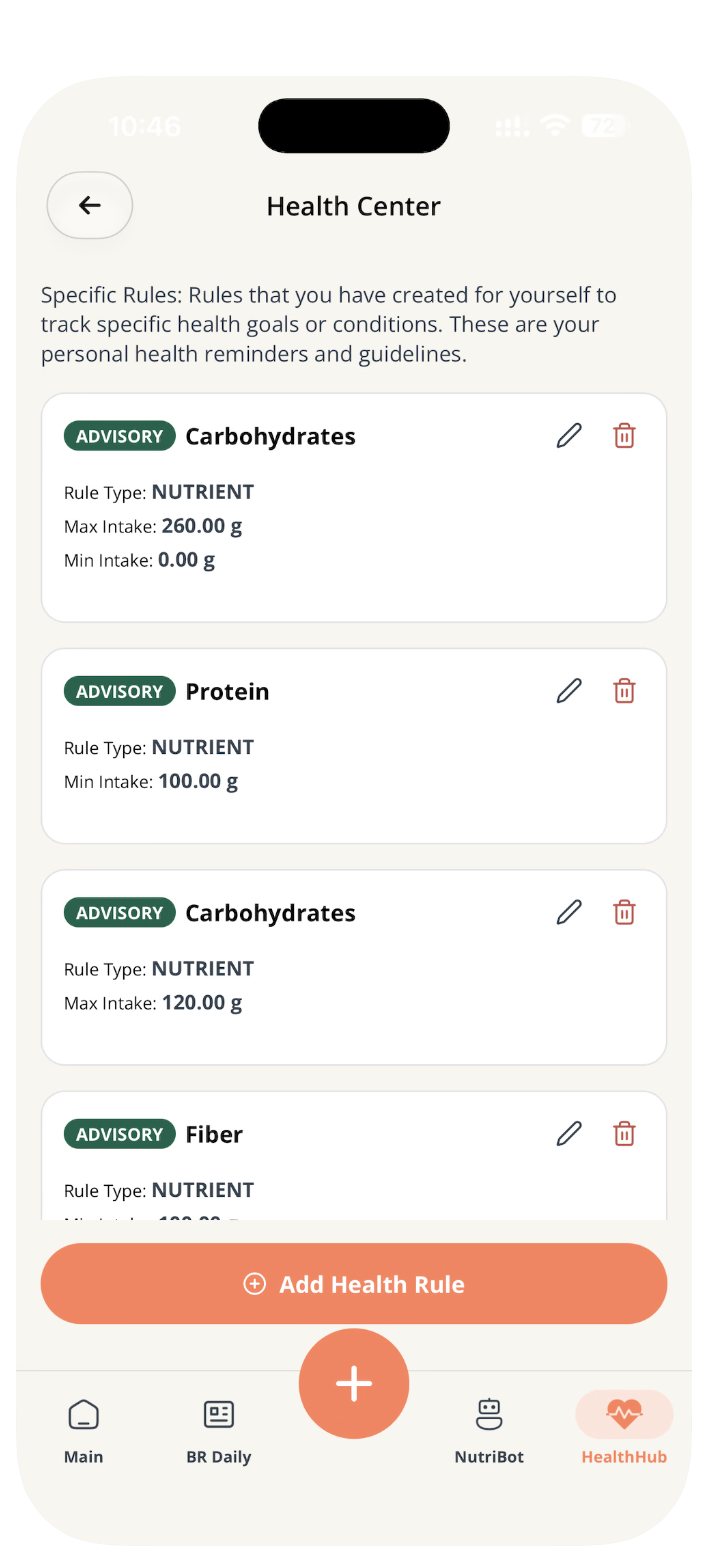
Four common rules, and 38 nutrients to choose from.
Daily maximum
Sugar
Cap the sugar you log in a day, for example while cutting back on sweet drinks.
Daily maximum
Carbohydrates
Keep carbohydrates under a daily ceiling agreed with your clinician, for example when managing diabetes.
Daily maximum
Fat
Set an upper limit for fat across the day's meals.
Daily minimum
Protein
Set a floor, such as a protein target when you train or recover.
In the app's Health Center you can add a rule for any of 38 nutrients, including fibre, iron, calcium and caffeine, with a minimum, a maximum or both, and a note on why it matters to you.
How a limit alert works.
Log your meals
Take a photo, record a voice note or type what you ate. Review the foods and portion before saving.
BiteRight adds up the day
The estimated sugar, carbohydrates, fat and protein of each meal count towards your daily totals.
You get a notification
When a total breaches one of your limits, BiteRight notifies you, so you can adjust the rest of the day.
See the full logging workflow and how accurate the estimates are.
Who can set the limits.
You
Set your own limits in the BiteRight app and change them when your goals change.
Your dietitian
A dietitian using the BiteRight portal can assign rules to a patient and review the logged meals that match them first.
Dietitian portal →A service you use
A hospital, clinic or health app that offers BiteRight inside its own app can set limits for its users.
For businesses →For dietitians: rules and review alerts.
In the dietitian portal, you assign rules to each patient. Alerts collect the logged meals that match those rules, so you can review them before a consultation instead of relying on recall.
Explore the dietitian portal →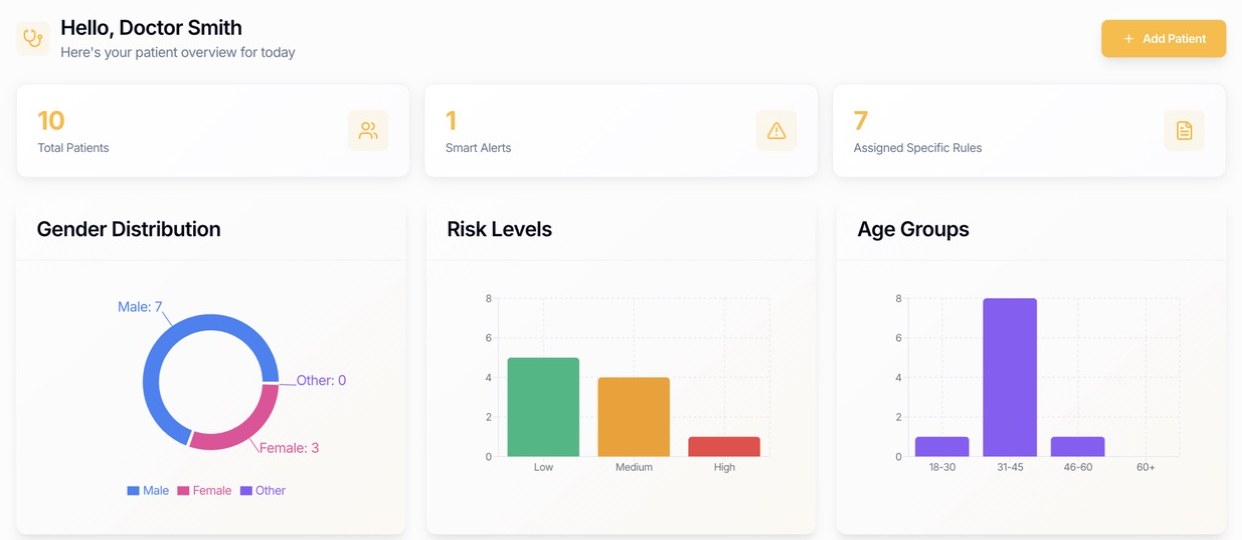
Questions about limits and alerts.
Set your first limit in BiteRight.
Choose your store to check current pricing, included features and device compatibility before downloading.