
For wearables and connected devices
Show users what they ate next to what your wearable measured.
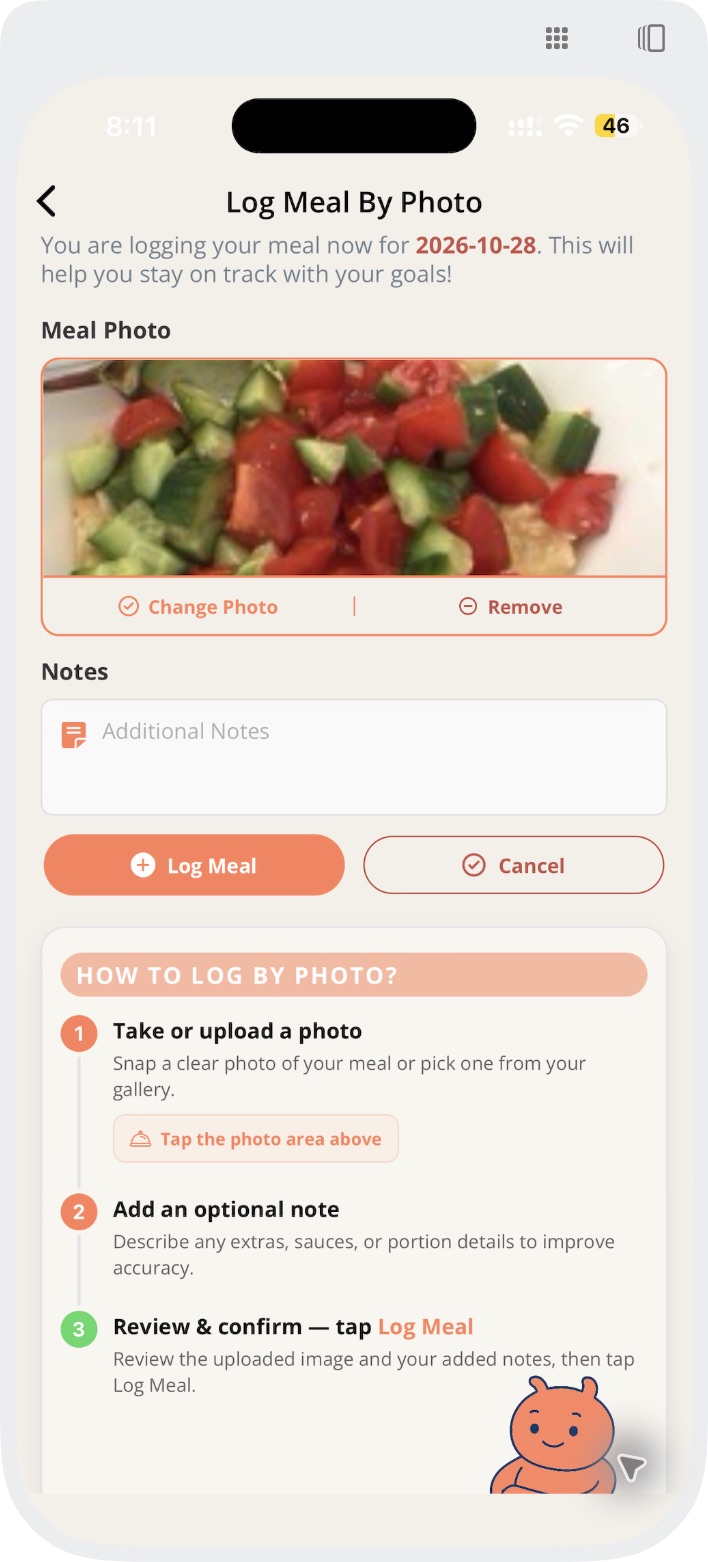
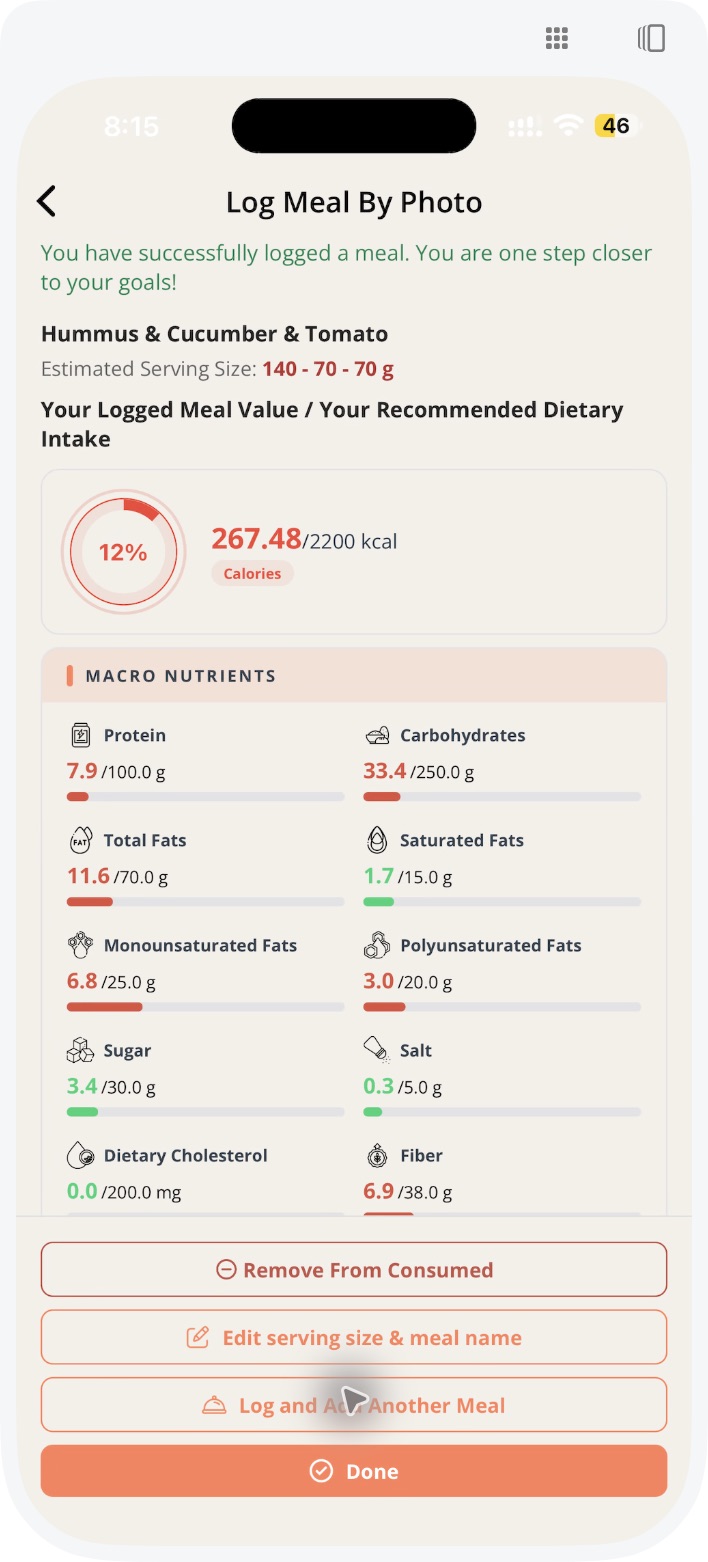
BiteRight gives wearable and device companion apps the piece their sensors can't measure: what the user ate. Users log a meal with a photo, a voice note or a line of text, the BiteRight API returns the recognised foods with calorie, macronutrient and micronutrient estimates, and your app places that meal next to the activity, sleep or glucose data you already collect. Users get a fuller picture of their day, and your app gives them another reason to open it.
Last updated:
The sensor can't see the plate
Wearables measure steps, heart rate, sleep and sometimes glucose, but they can't measure food. Without it, a spike or a poor night has nothing about what they ate beside it.
Building food recognition and a nutrient database is far from most device makers' core product. The BiteRight API adds meal logging behind your own screens, so your app can show meals and device data on one timeline.
How it works, step by step.
Example: Example Ring, a fictional smart ring app.
- Step 1
The user logs breakfast
They take a photo of a bowl of oats with banana and honey in the ring's companion app.
- Step 2
BiteRight returns the estimates
The API returns the foods, estimated weight, calories, carbohydrate, sugar, protein and fat.
- Step 3
Your app lines it up
The companion app places the meal on the same timeline as the user's activity and sleep, using data it already has.
- Step 4
The day goes over a limit
The user set a daily sugar maximum, and the app tells them when the day crosses it.
What BiteRight gives your team.
The data your sensors miss
Photo, voice and text meal logging through the API, shown in your own screens
Nutrition API
Nutrients worth plotting
Calories, protein, carbohydrate, fat, fibre and sugar per meal, plus vitamins and minerals
Nutrition API
Goals users can act on
Daily maximums for sugar, carbohydrate and fat and a daily protein minimum, with an alert when one is crossed
Nutrition API
A global user base
International cuisines, Arabic input and a Bahraini food-composition database
API and food data
Data protection review
Oracle Cloud hosting, regional hosting, encryption in transit and at rest, and a DPA
Platform
- Oracle Cloud Infrastructure
- Regional hosting
- Encrypted in transit and at rest
- DPA for business customers
- Arabic and English input
- 2.5M+ food records
Read more about the nutrition API, the dietitian portal and how data is protected.
What BiteRight does not do.
- BiteRight does not read data from your device, phone health platforms or glucose monitors. Your app combines BiteRight's meal data with the device data it already holds.
- Nutrient values are estimates, not measurements, and BiteRight does not explain glucose responses or diagnose conditions.
Questions we hear.
Does BiteRight connect to our device?
No. Your companion app sends meals to the BiteRight API and combines the results with the device data it already has.
What does the API return for each meal?
The recognised dish, estimated weight, ingredients, calories, macronutrients, fibre, sugar, vitamins and minerals.
Can users log without a photo?
Yes. Users can describe a meal in a voice note or type it, in English or Arabic.
Can we set nutrition goals for users?
Yes. Daily maximums for sugar, carbohydrate and fat and a daily protein minimum can be set by your organisation or the user, with an alert when one is crossed.
Where is user data hosted?
BiteRight runs on Oracle Cloud Infrastructure. Data is encrypted in transit and at rest, hosting can be regional, and a data processing agreement (DPA) is available for business customers.
How do we get access?
The API is available to approved partners. Request a demo and the team will discuss your device, app and sandbox access.
Put meals on the same timeline as your device data.
Tell us about your device, your companion app and the data you already collect. Sandbox access is available on request.
Request a demo